 QuadStick
 Set up your QuadStick
without the spreadsheet.
Map inputs on a picture of the stick, catch every bad cell, and install straight to the device.
New to profile editing? Read the step-by-step profile guide.
Discord organized by Fred






Organisations working in adaptive gaming and rehabilitation.
A spreadsheet shouldn't be able to take your controller offline.
QuadStick profiles are CSV files. If you build one in a spreadsheet and copy it to the device, a bad value can be hard to spot before it causes trouble.
Without a safety net: one bad cell, and it's gone.
Break default.csv and the USB drive can vanish until you do a physical reset on the hardware. No warning, no undo. Just a controller that stopped showing up.
With this app, mistakes get caught first.
Every input, output, and function is checked against Fred's own validation data. Install backs up the old file, writes a copy, reads it back, then swaps it in. Overwriting default.csv always asks first.
Two ways to see a profile, and one screen for the stick itself.
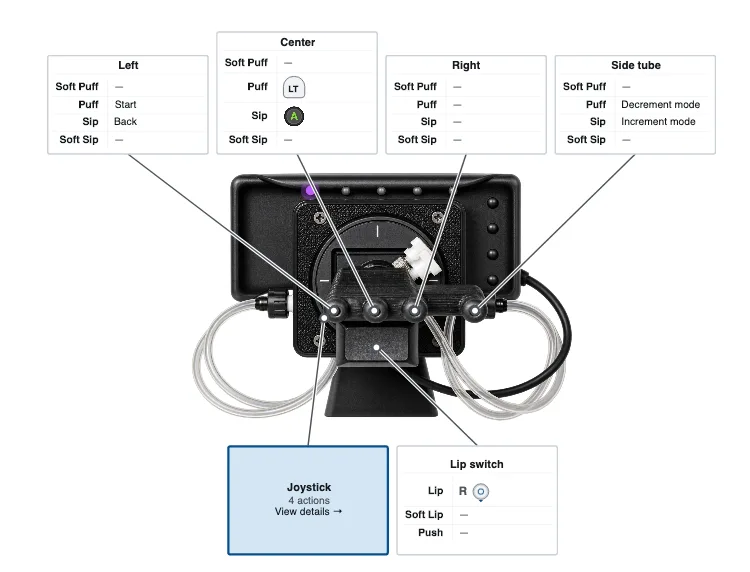
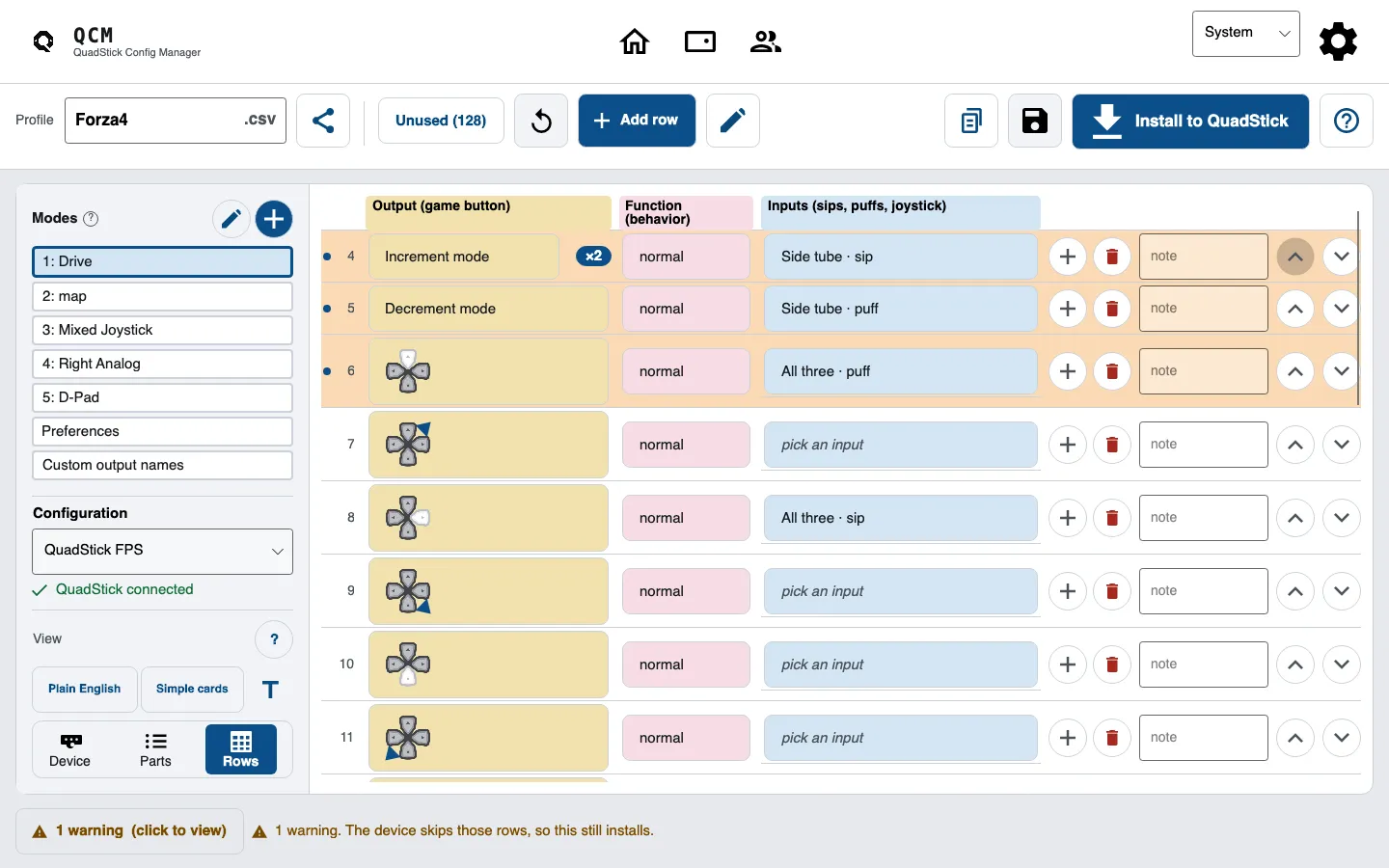
Edit on a picture of the hardware.
Click the left tube, the lip switch, or the joystick and see exactly what a sip, puff, or nudge does. The soft variants are right there too, no manual required.
Every mapping is color-coded in the product's own grammar:
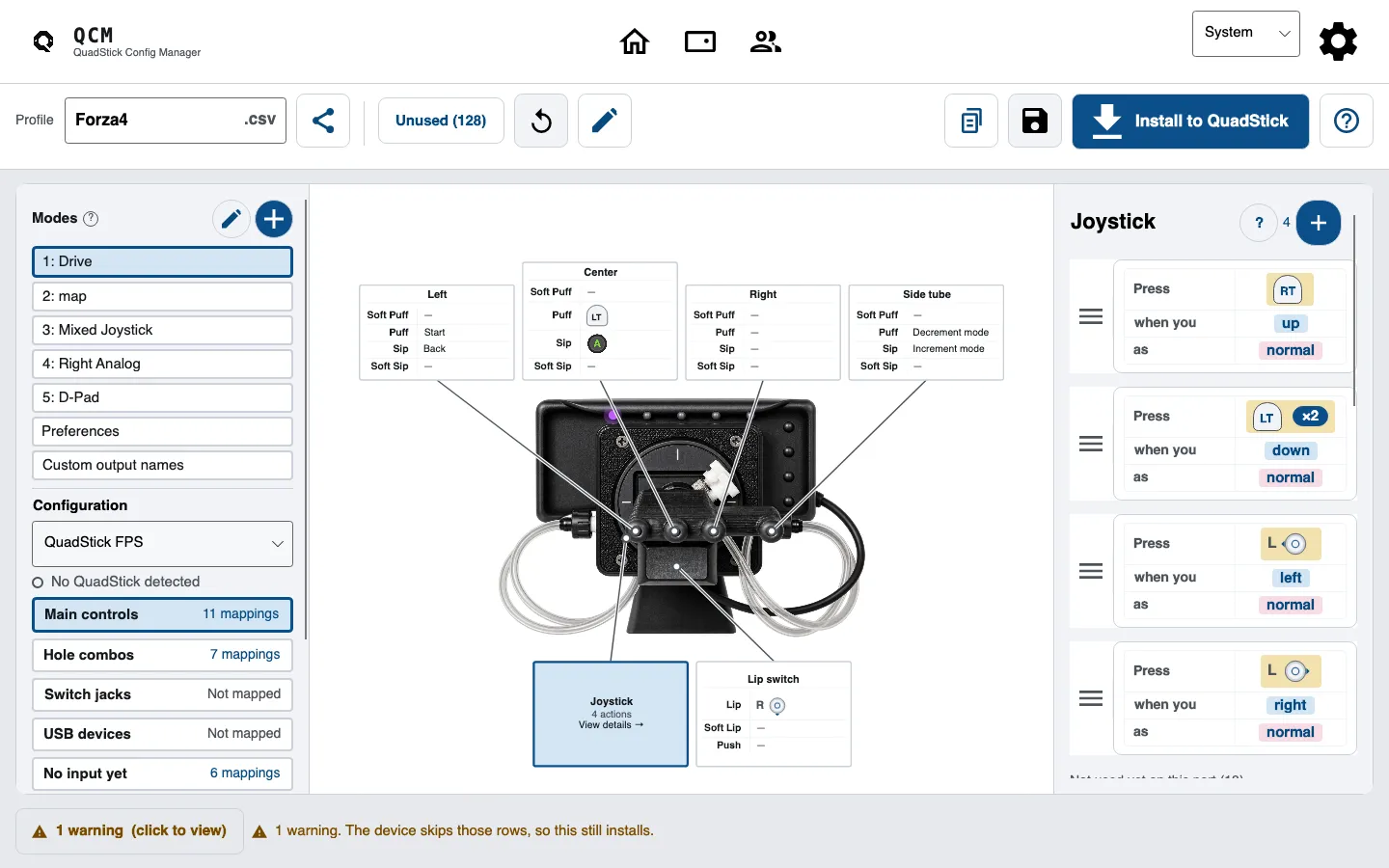
Or work row by row, with real autocomplete.
The list view knows the real input, output, and function names from Fred's validation data, so you type left_joy_left, not a guess. Add and delete rows without touching a formula.
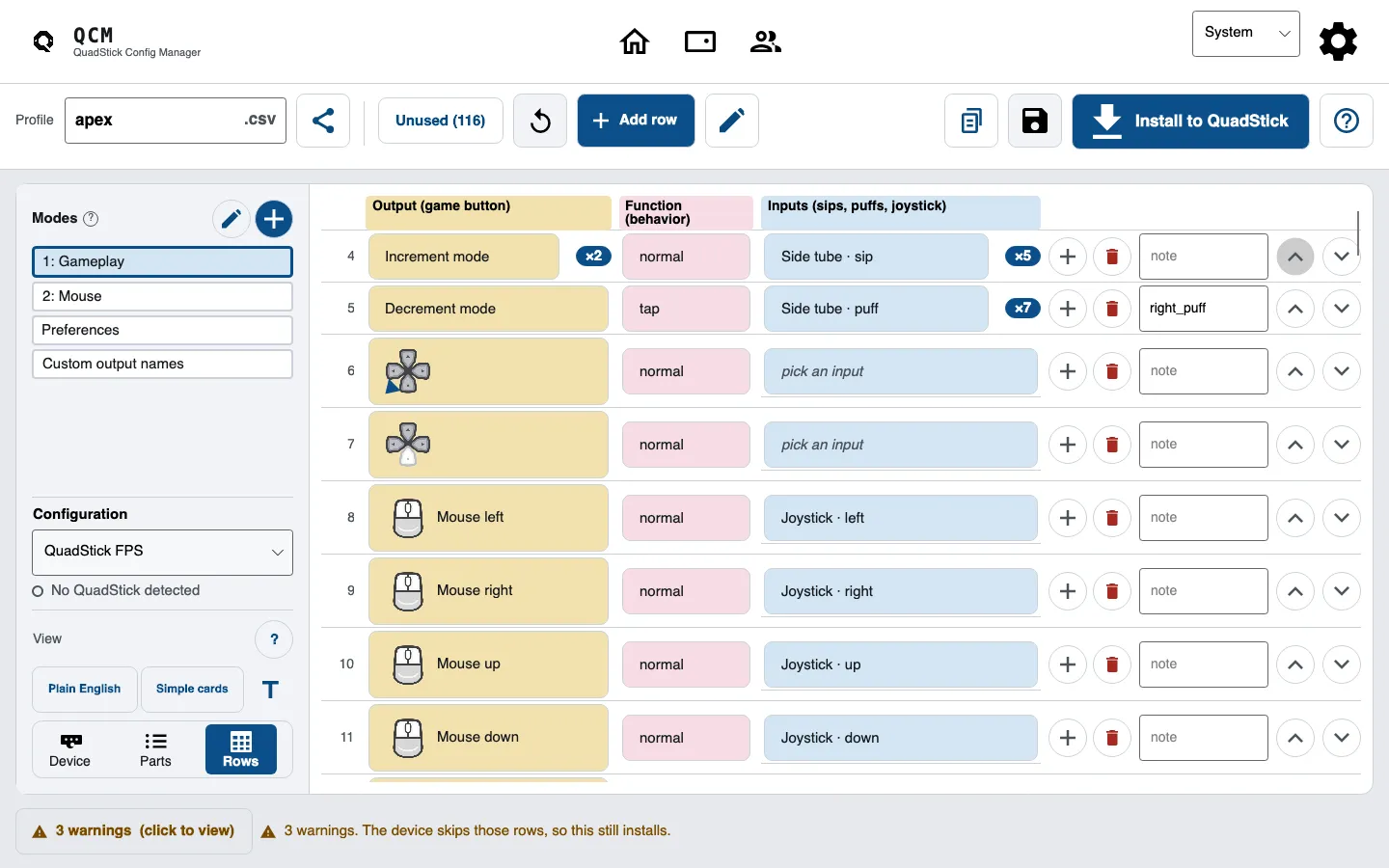
When something's wrong, it tells you what and where.
Which cell is off and how to fix it, in plain English. Blocking validation errors stop an install; warnings stay visible so you can review them before continuing.
Click any problem to copy it straight into a bug report.
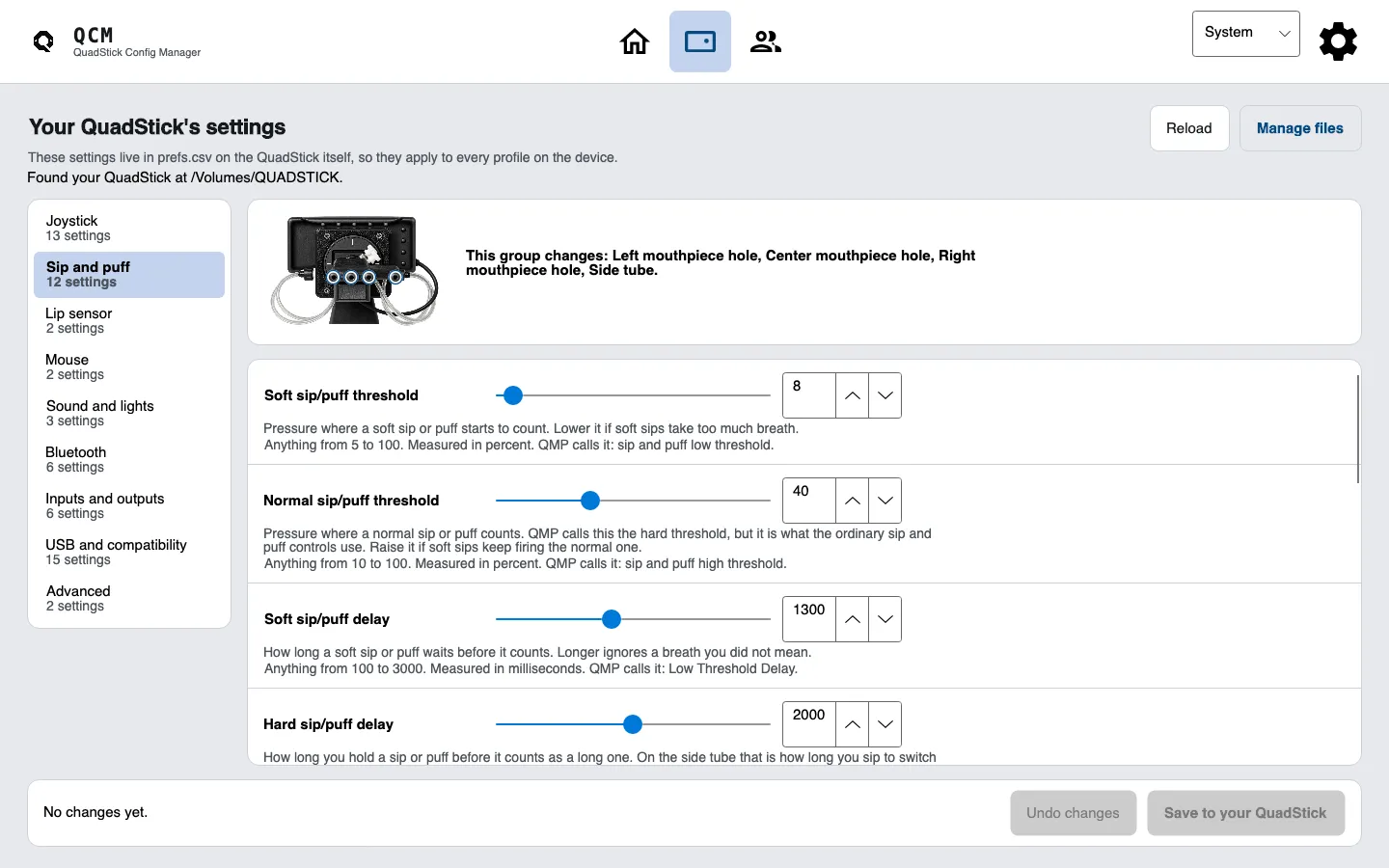
Tune the stick itself, not just the game.
The Device screen reads prefs.csv off the QuadStick and gives every setting a real control: a slider with the exact number beside it, a box where it's a flag, a dropdown where it's a list. Each one says what it does, and what the device falls back to when your file leaves it out.
Nothing reaches the stick until you press Save, and nothing you didn't type gets rewritten.
Watch the stick working while you set it up.
Plug a QuadStick in and the app finds it on its own. While it sends an output, the row bound to that output lights up, in the list and on the picture. Sip on the mouthpiece and the sip row stays lit for as long as the sip lasts.
The app compares reported outputs with the mappings in the open profile. The device does not report which input or profile produced each output, so this is a check of the current mapping, not proof of its source.
Free. Unzip and run.
No Config Manager account is required. Core editing works offline. Sheets import and Drive backup need an internet connection. You can browse the saved Community profiles catalog offline; fetching it for the first time or refreshing it needs internet. Manual update checks and opt-in telemetry need internet. Take it from a store, or grab the plain zip for your computer.
Or take the plain zip
make run.
One person who thinks accessible gaming should be ACCESSIBLE.
Hi, I'm Bassam. A game developer and I built the QuadStick Config Manager because setting up a profile shouldn't mean wrestling a spreadsheet and hoping you don't brick your controller. The QuadStick opens up gaming for people, and the software around it should feel as accessible as the hardware does.
I'm actively maintaining this. If you hit a bug, or there's a mapping the app won't let you make, tell me and I'll fix it. That's the whole reason it exists. You can also find me in the QuadStick developers Discord.
Discord organized by Fred