Accessibility hardware · 2025
QuadStick Config
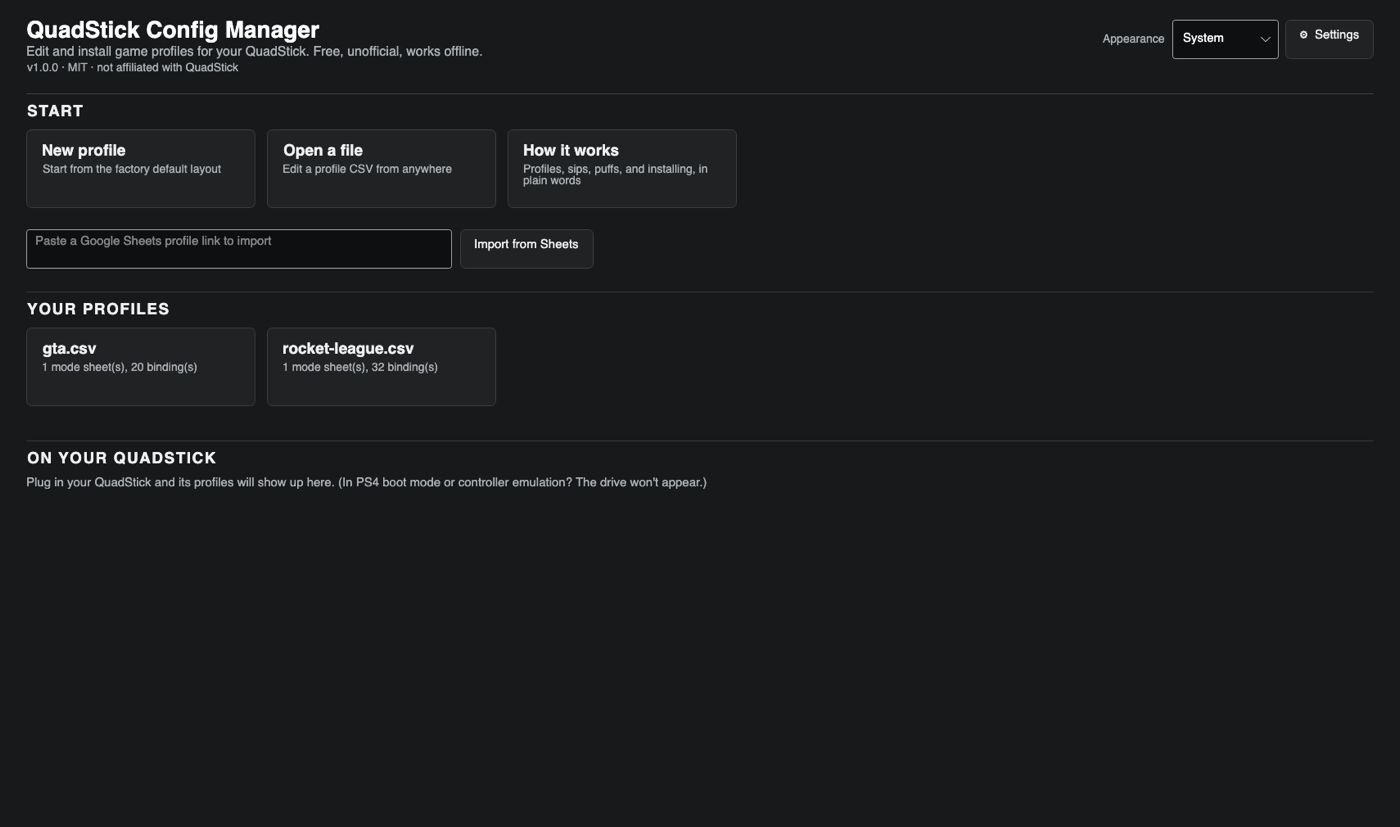
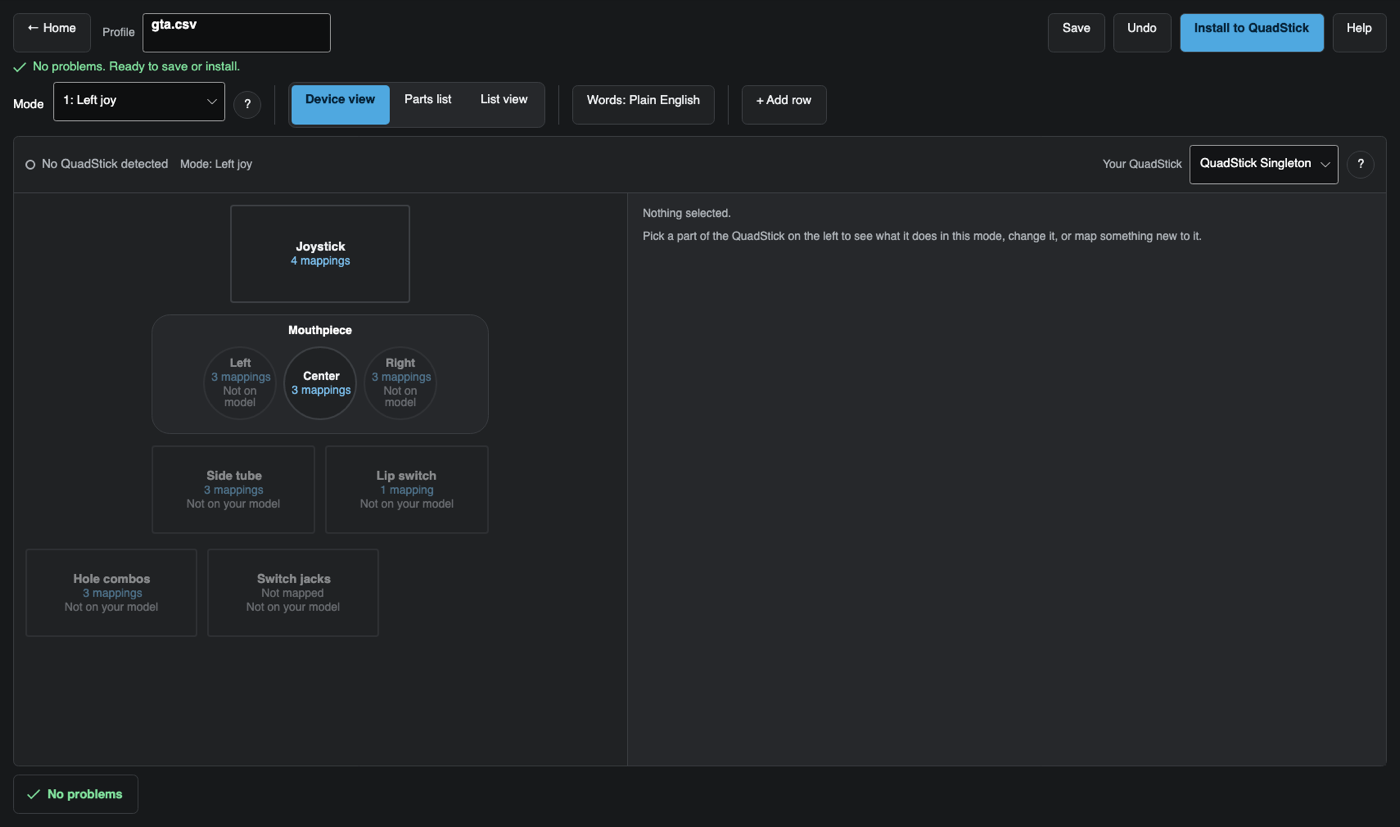
A free desktop editor for QuadStick profiles, the sip-and-puff controller quadriplegic gamers play through. Map inputs on a picture of the hardware, catch every bad cell in plain English, and install straight to the device. Windows, macOS and Linux, on the Mac App Store and the Microsoft Store.
What it is
The QuadStick is a mouth-operated game controller for quadriplegic players: sips, puffs, a lip switch and a joystick moved with the mouth, mapped onto keyboard, mouse and gamepad buttons. It is one of the most widely used adaptive controllers for high spinal cord injury gamers.
Every setting lives in one CSV file on the device’s USB drive. The usual way to edit that file is a Google Sheet plus an export add-on, then a Windows-only tool to copy it across. One bad cell breaks a profile, and a broken default.csv can make the drive vanish until someone force-erases the hardware.
This is a real editor for that file. Free, open source, and it runs on Windows, macOS and Linux.
What it does
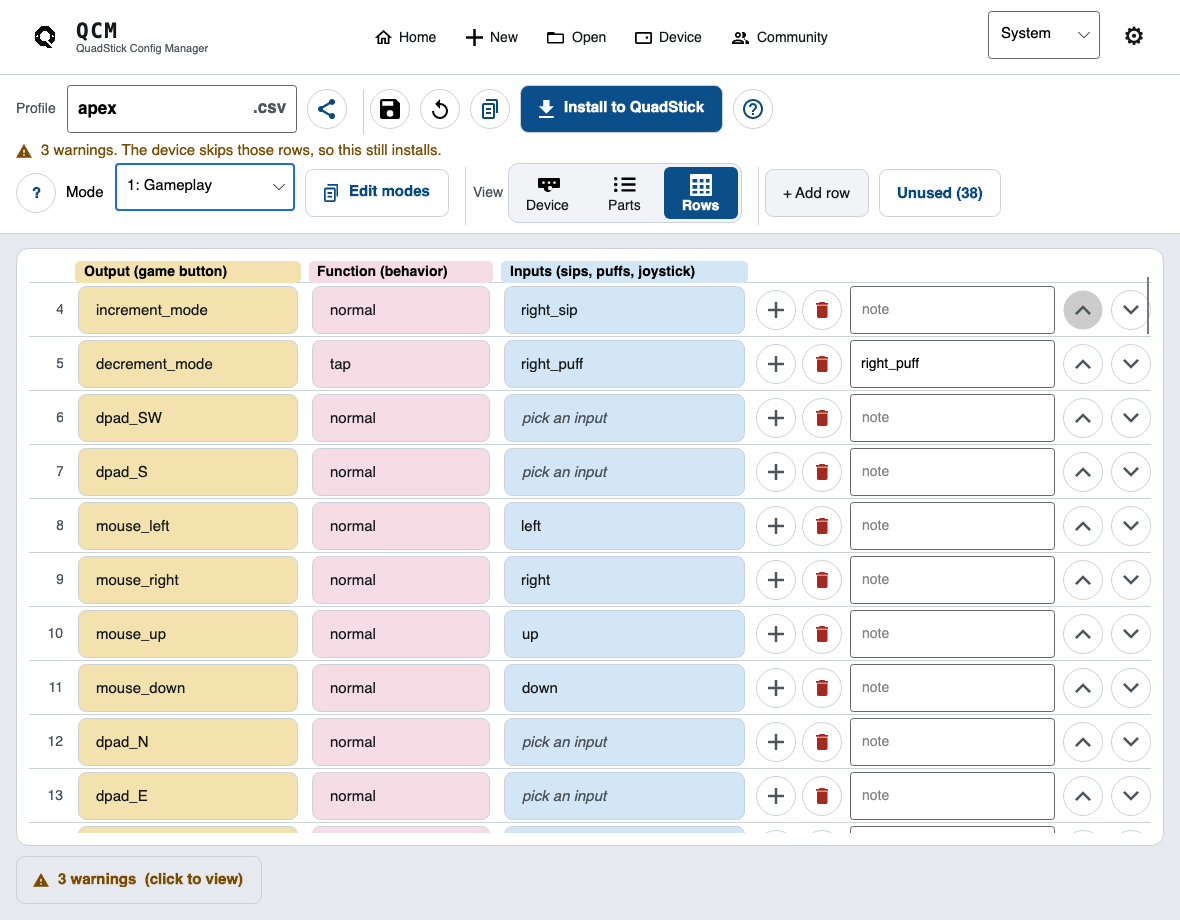
- Two ways to edit. Map inputs on a picture of the stick, or work row by row in the spreadsheet view. Autocomplete knows the real input, output and function names the firmware accepts.
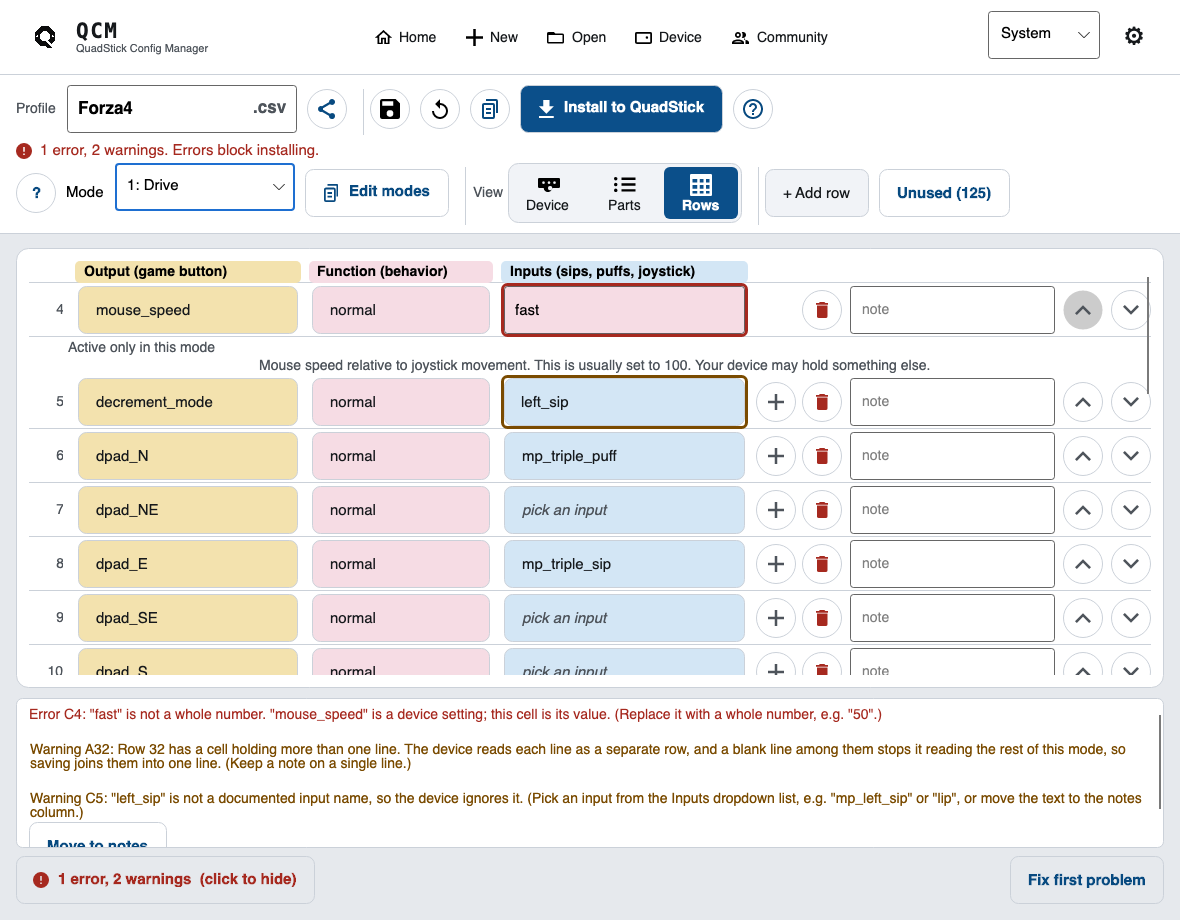
- Plain-English validation. Which cell, what is wrong, and how to fix it. An error means the device would misread the file, and only those block the install. A row the device simply skips is a warning, and installs fine.
- Safe install. Backs up the old file, writes a temp copy, reads it back, then swaps it in. Overwriting the device’s fallback profile always asks first.
- Google Drive backup. Connect once and every save backs itself up to a Sheet in your own Drive. The save never waits on the network. New machine or a wiped USB stick: restore the lot.
- Share and import. Paste anyone’s Sheets link to pull their profile in, every mode tab included, or open a downloaded
.xlsxworkbook. The community catalog of shared game profiles is browsable from inside the app, and cached so it still opens offline. - Built for access. Nothing is signalled by colour alone, every control says what it is, and the whole app works read aloud and reached by keyboard.
How it’s built
C# on .NET 8, with Avalonia for the UI so one codebase ships to all three desktops. Two projects: a format library holding the parser, the validator and the USB install, with no UI in it at all, and the window layer on top.
The validator is the part that matters. Its rules come from the QuadStick’s own firmware source, not from guesswork: the test suite runs a reader modelled on the firmware’s parse loop, so a claim about what the device does with a cell is proved against the device’s own logic instead of asserted in a comment. The corpus it runs against is hundreds of real profiles shared by the community.
CI/CD
Pushing a version tag is the whole release. GitHub Actions runs the tests, builds the Windows, macOS and Linux downloads, and publishes the release with all of them attached.
iPhone companion
SipStudio reads and edits the same profiles from an iPhone, over USB-C.