Bassam Kamal
The idea Features FAQ Privacy Privacy policy Support
In My Voice app icon
iPhone, iPad & Mac · on the App Store

The voice in your head, out loud.

In My Voice reads your EPUBs and PDFs aloud and lights up every word as it lands. Speed read a chapter one word at a time. Then it asks what you just read, so it actually stays. Your books never leave your phone.

What is In My Voice? In My Voice is an EPUB and PDF reader for iPhone, iPad and Mac. It reads books aloud and highlights each word as it is spoken, in one of 27 neural voices that run on the device, or in your own voice built from a ten second recording. It also has RSVP speed reading at 100 to 1000 words a minute, and a recall prompt that asks what just happened before it shows you the passage again. There is no account, and your books stay on your device.

Free with four classics to read. Adding your own books is a one-time purchase, not a subscription. No account, no ads, no tracking.
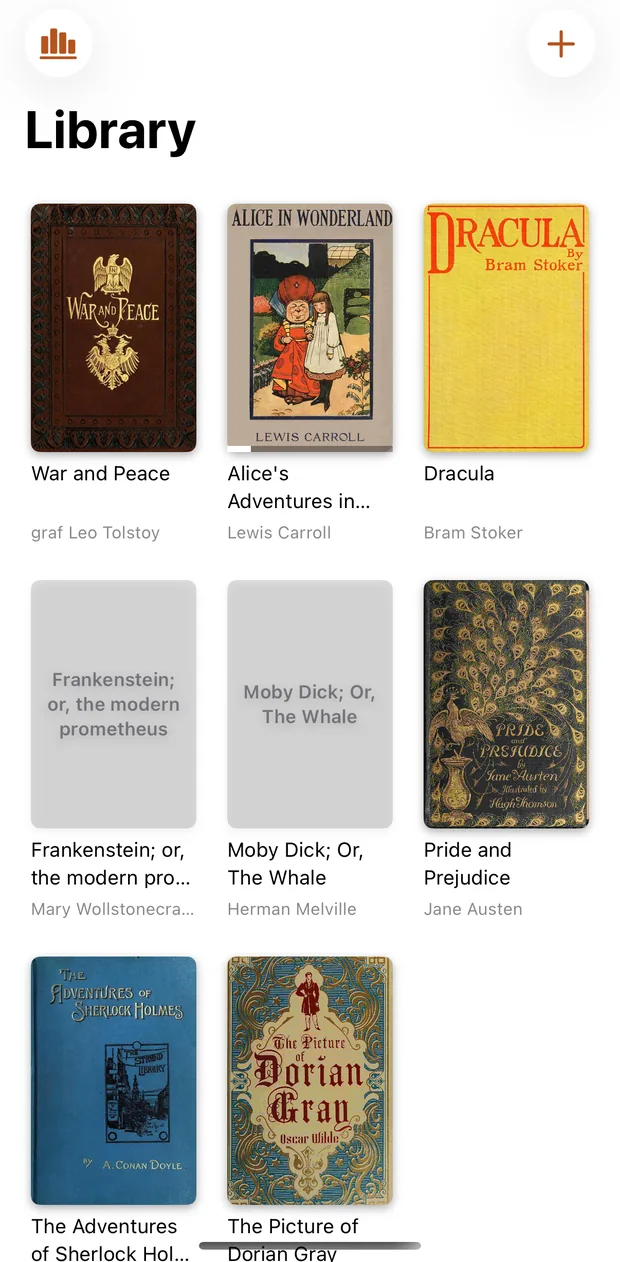
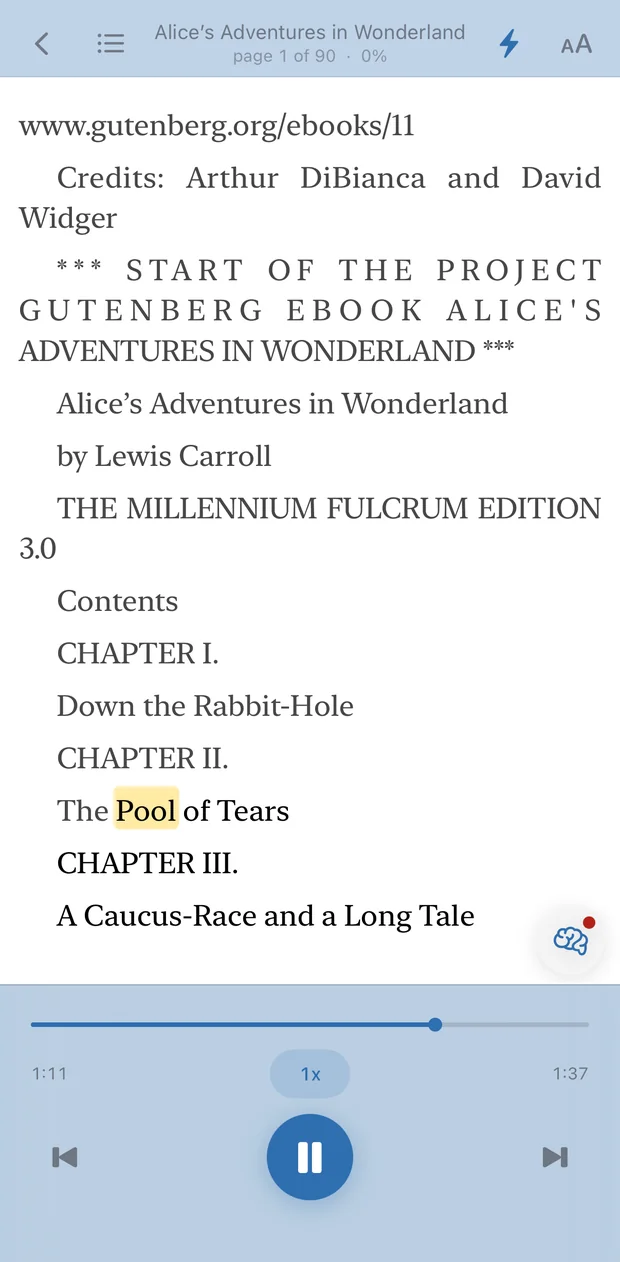
The In My Voice library, a shelf of book covers A chapter playing with the current word highlighted Speed reading one word at a time with the words-per-minute control A recall card asking what just happened in the book Asking a question about the part of the book already read
01

How do I add a book?

Add an EPUB or PDF from Files, or share one straight into the app. It is copied into your library, so moving the original never breaks the book. Every book keeps its own place, down to the word.

02

How does word-level highlighting work?

Pick a voice and press play. The highlight follows the narration word by word, and tapping any word moves the audio there. It keeps going with the screen off, with the book on your lock screen.

03

What is RSVP speed reading?

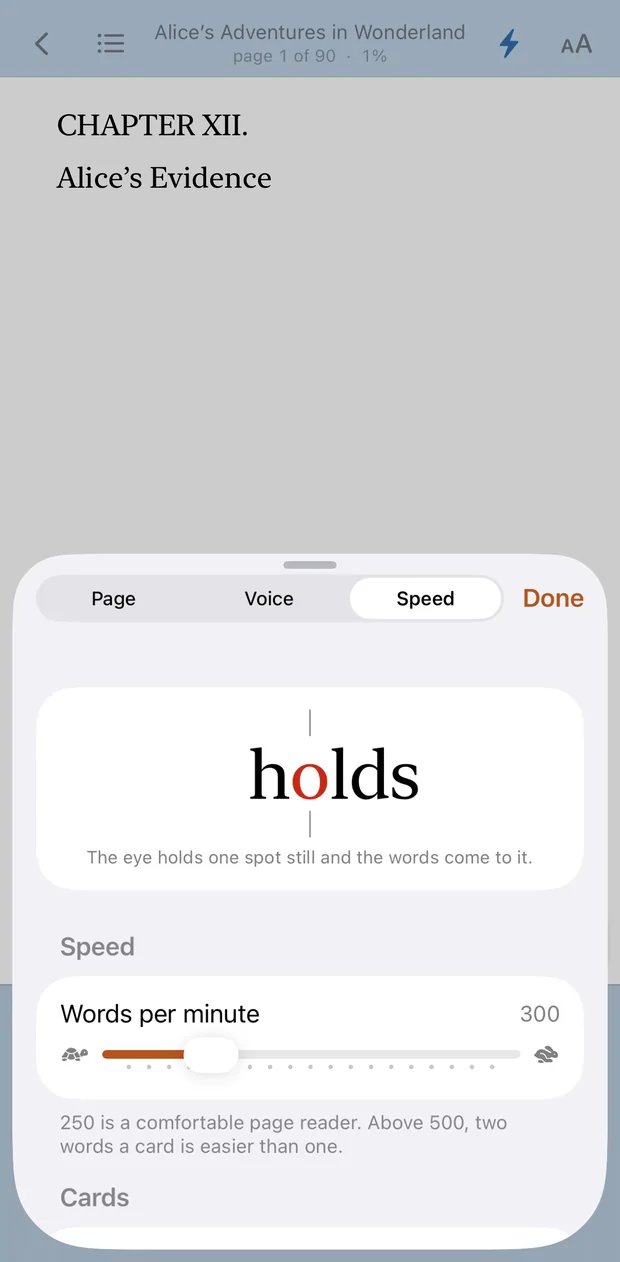
Speed reading holds a single word in a fixed spot so your eyes stop hunting. 100 to 1000 words a minute, with the sentence underneath when you need the context back.

04

What is a recall prompt?

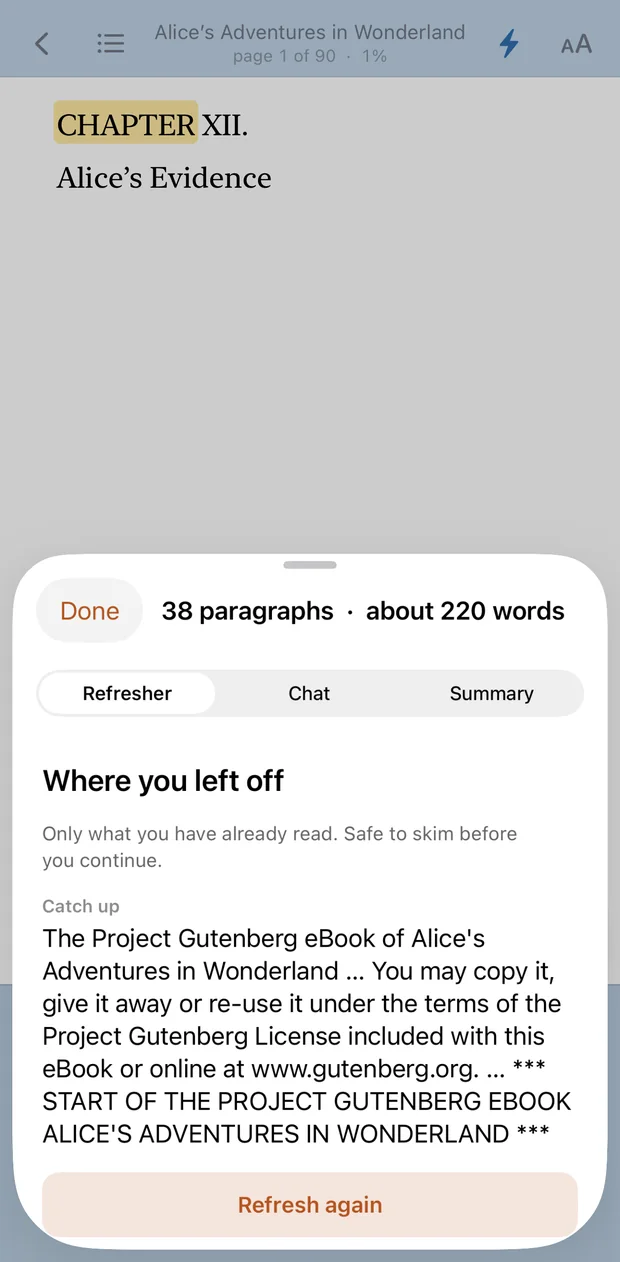
After a few paragraphs a small dot appears in the corner of the page. Tap it and the app asks what just happened. You answer first, out loud or typed, and only then does it show you the passage. Nothing is graded and nothing is saved.

05

Can I ask the book a question?

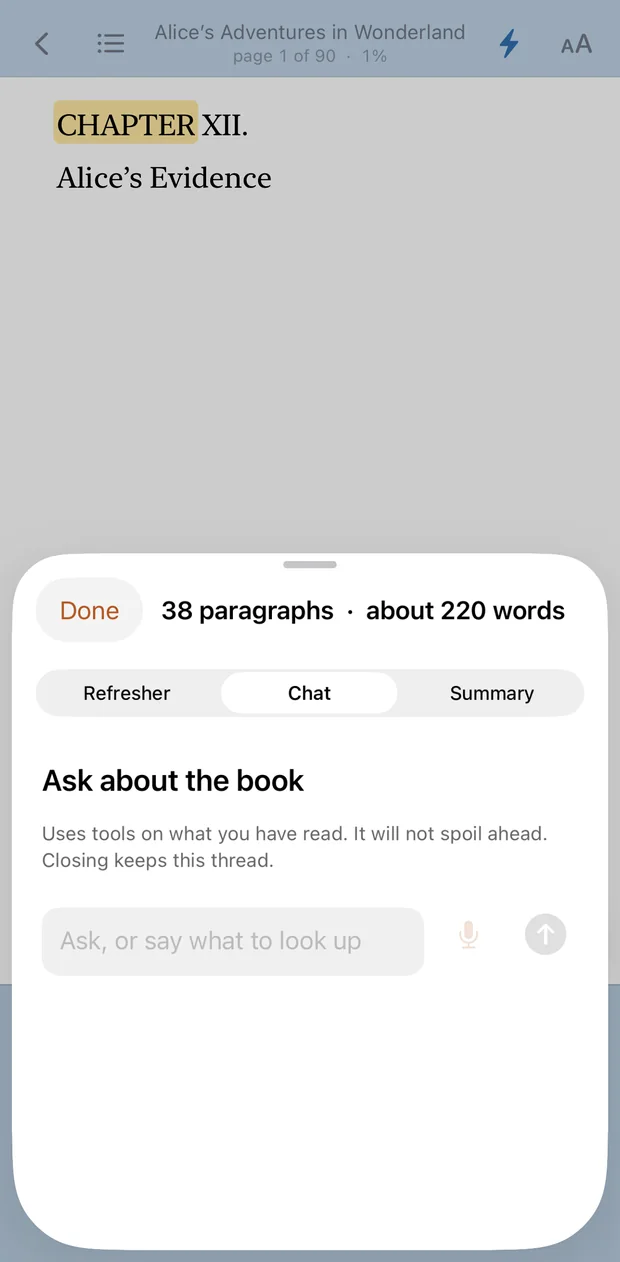
Lost track of a character? Ask. The answer is built only from the part you have already read. On device by default, so the question stays with you.

The whole idea

How does one timeline keep reading, audio, and recall in sync?

Every word in a chapter gets a start time and an end time. The highlight, the speed-reading card, and the voice are all just views on that one list, so they can never drift apart.

0:00Word 1 of 150:06

Play it

The highlight is a lookup, not a guess. Scrub anywhere and it is already on the right word.

Flash it

Same timeline, no page. One word held at a fixed anchor letter while the rest streams past.

Question it

A recall prompt takes the paragraphs behind the playhead. Never a word past where you are.

What is inside

What can In My Voice do while you read?

Tune the page until it reads like a book you own, then hand it a voice.

27 voices on the phone, or your own

Every installed system voice, including the premium and enhanced ones, with narration speed and pitch you can hear change as you drag. An optional neural voice downloads once and then runs entirely offline.

System voices27 neuralYour own voice

Set the page how you like it

Themes from paper to true dark, four typefaces (New York, San Francisco, Georgia, Palatino), size, line spacing, margins, and justification. Take the colours from the book cover, or ignore it entirely.

Keeps going, screen off

Background playback with the cover, title, and controls on your lock screen. A chapter rolls into the next one on its own.

Look a word up

The system dictionary, right from the speed-reading card. Works with no signal, because it is already on your phone.

Recall and chat

Answer out loud or type it. Runs on device by default. Bring your own Gemini or Azure key if you want a bigger model.

How fast does a big book open?

War and Peace is 568,000 words across 367 chapters. It opens in 16 milliseconds and gets you to a readable page in 17, because chapters are parsed only when you reach them. Measured on an iPhone, cold open to the first readable chapter page.

EPUB and PDF, both

Open it from Files, or share it in from anywhere else on your phone. The book is copied into the app, so the original can move without breaking anything.

Questions

Frequently asked questions

Short answers you can quote without reading the whole page.

What is In My Voice?

In My Voice is an EPUB and PDF reader for iPhone, iPad (iOS 26 or later) and Mac (macOS 15 or later). It reads your books aloud with each word highlighted as it is spoken, in 27 on-device neural voices or in your own voice from a ten second recording. It has RSVP speed reading from 100 to 1000 words a minute, and recall prompts that ask what just happened before showing you the passage again.

There is no account, no ads, and no analytics. Books, rendered audio, and reading position stay in the app's own storage unless you turn on an optional cloud AI key for Gemini or Azure. The app is free on the App Store.

Can In My Voice read my books in my own voice?

Yes. Open a book, tap Aa, go to the Voice tab and choose Record my voice. You read out loud for about ten seconds, and the app builds a voice from that recording on the device. The recording never leaves your phone.

If you would rather not, there are 27 neural voices that run on the device after a one-time download of about 90 MB, plus the system voices already on your iPhone.

How is In My Voice different from Voice Dream or ElevenReader?

Voice Dream and ElevenReader are strong at turning documents into spoken audio. In My Voice is built around one chapter timeline: every word has a start and end time, so highlighting, RSVP speed reading, and narration cannot drift apart. Scrubbing is a lookup on that list, not a guess.

It also adds recall prompts and book chat that never read ahead of your place, and it ships without an account or analytics. Optional neural and system voices run on device after any one-time downloads you choose. Cloud AI is bring-your-own-key only.

Does In My Voice work offline?

Yes for reading aloud with iOS system voices, including enhanced and premium voices you install on the phone. Background playback and lock-screen controls keep working with no signal. An optional neural voice downloads once, then runs entirely on device.

Recall and book chat default to on-device Apple Intelligence when your device and region support it. Gemini or Azure only run if you paste your own keys. Books never need a server to open or keep your place.

What is the recall prompt?

A recall card stops you on purpose after a stretch of reading and asks what just happened. You can speak or type an answer. The app checks it against a short summary of the paragraphs behind your playhead, never against text you have not reached yet.

That pattern is retrieval practice: saying what you remember before you reread. On-device is the default. Optional cloud models use only the passage you already finished, and only with a key you supply.

Where can I get In My Voice, and what does it cost?

On the App Store, for iPhone and iPad on iOS 26 or later, and Mac on macOS 15 or later. For setup questions, the support page has answers, and bassamkamal.py@gmail.com reaches the developer.

The download is free and comes with four classics: Alice's Adventures in Wonderland, Frankenstein, Pride and Prejudice, and The Adventures of Sherlock Holmes. Every feature works on those books. Adding your own EPUB and PDF files is a one-time purchase (US$7.99), not a subscription. There is no account to create.

Compare

How does In My Voice compare to cloud TTS readers?

A quick table for the usual shopping questions.

Feature In My Voice Typical cloud TTS reader
Word-level highlight on one timeline Yes Often sentence or page only
RSVP speed reading 100–1000 wpm Rare
Recall prompts (no spoilers) Yes Usually none
Account required No Often yes
Offline system voices Yes Varies; cloud voices need network
Analytics / ads None Common
Yours

Does anything leave your phone?

No account. No ads. No analytics. Your books, your rendered audio, and your place in every chapter sit in the app's own storage and stay there.

Read the privacy policy
No accountNothing to sign up for. Open the app and add a book.
Reads offlineSystem voices run on your phone. No server in the loop.
Keys stay in KeychainBring your own AI key, or use none at all. Your call.
Mic is opt inOff until you set it up and grant permission. Typing always works.
Hear it

What does it sound like?

Twenty five seconds. A line from Frankenstein, read aloud, each word lit as it is spoken. The book is one of the four that come free in the app.

Getting it

Where can I download In My Voice?

In My Voice is free on the App Store for iPhone, iPad and Mac. The support page has setup help, and email reaches the developer directly.

iOS 26+iPhone, iPad, and Mac
EPUB & PDFYour own files
FreeNo account
SwiftSwiftUI and TextKit